

Note: Before proceeding, this is a permanent setting that can only be reverted by changing the privacy status of every individual activity, it can not be reverted!
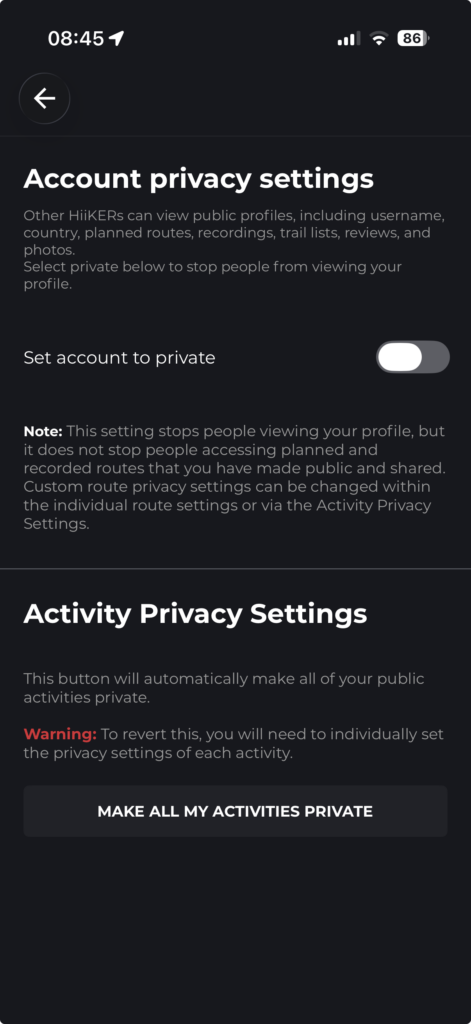
If you want to force ALL of your activities (Planned routes and recordings) to private, you can do so in one click via the app and webiste.
On the app go to Home > Settings > App Settings > Cutomise > Account Privacy Settings.
On this page tap the “Make all my activities private” button.
On the website, visit https://hiiker.app/user/settings.
At the bottom of the page you will find the option “Make All Recordings and Planned Trails Private”.
Click and confirm to make all activities private.
