

Type it into search, or use Map > Options > Go to location.
Search — the bar on the Home screen, the Search tab, or the search icon on the map information bar — accepts place names, latitude/longitude, degrees-minutes-seconds and British or Irish grid references. Tap the result under Locations or Coordinates.
In Go to location, make sure the coordinate drop-down at the top matches what you’re typing — for decimal latitude/longitude choose WGS (Lat, Lon) (World Geodetic System (Lat, Lon) on Android), or Latitude/Longitude (DMS) for degrees, minutes and seconds — then tap GO.
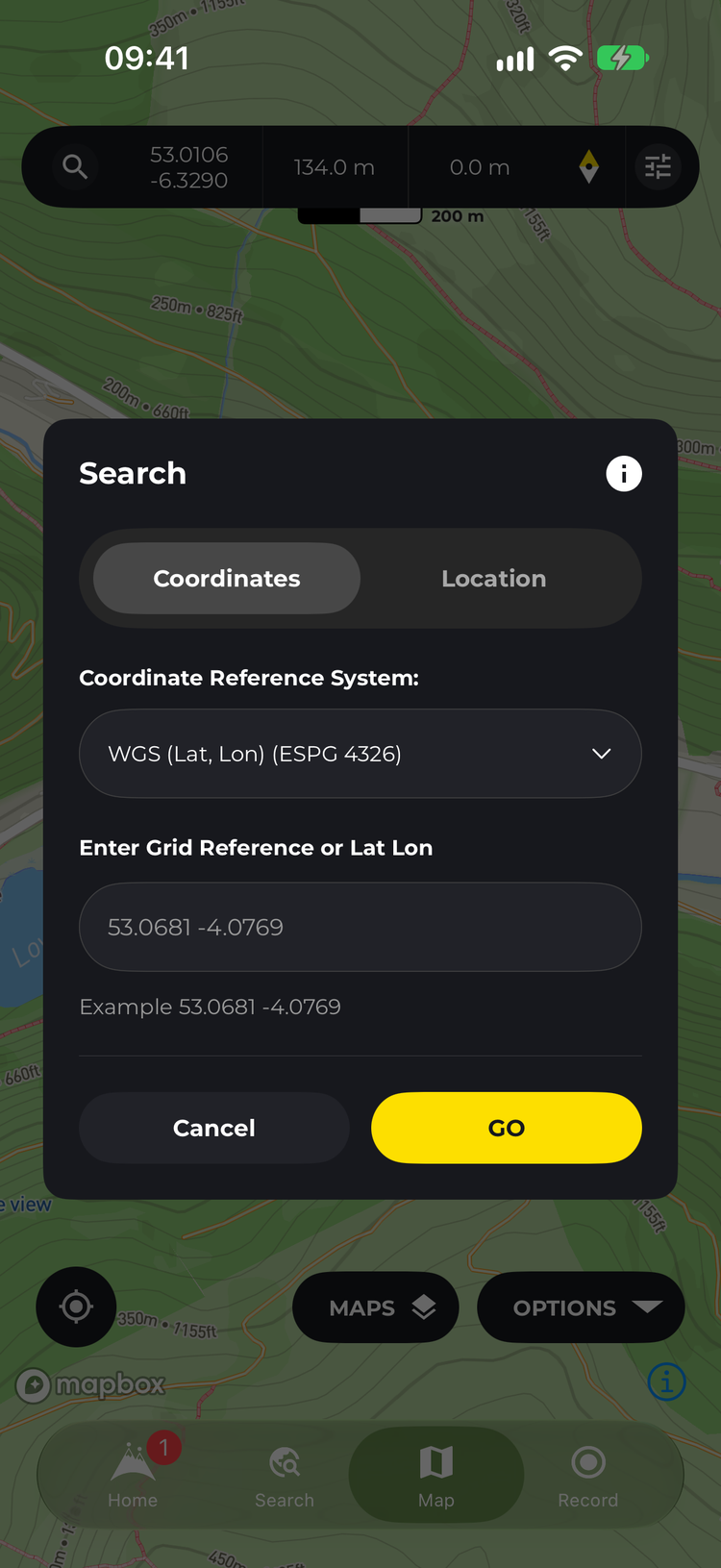
Options > Go to location

Or type a grid reference into search
To see the grid reference at the crosshair, set one of the map information bar’s slots to Coordinates (slot 1 shows it by default). The bar’s settings icon changes the coordinate system, crosshair style and more. More detail: Search for a map location or coordinates.