

HiiKER adds two things together: the time to walk the distance at your walking pace, plus extra time for the climbing at your ascent rate. Your Hike time settings default to 5 km/h (3.1 mph) and 600 m of ascent per hour — the Average preset.
To change your pace:
- On iPhone and Android: go to Home > settings icon > App Settings > Customize > Hike Time Setting. Pick Slow, Average, Fast or Trail Runner, or tap Advanced… to set your distance pace and elevation pace separately. Shortcut: type hike time into the search bar on the Home page.
- On the website: open My Account Settings on hiiker.app and choose your pace under Hike time.
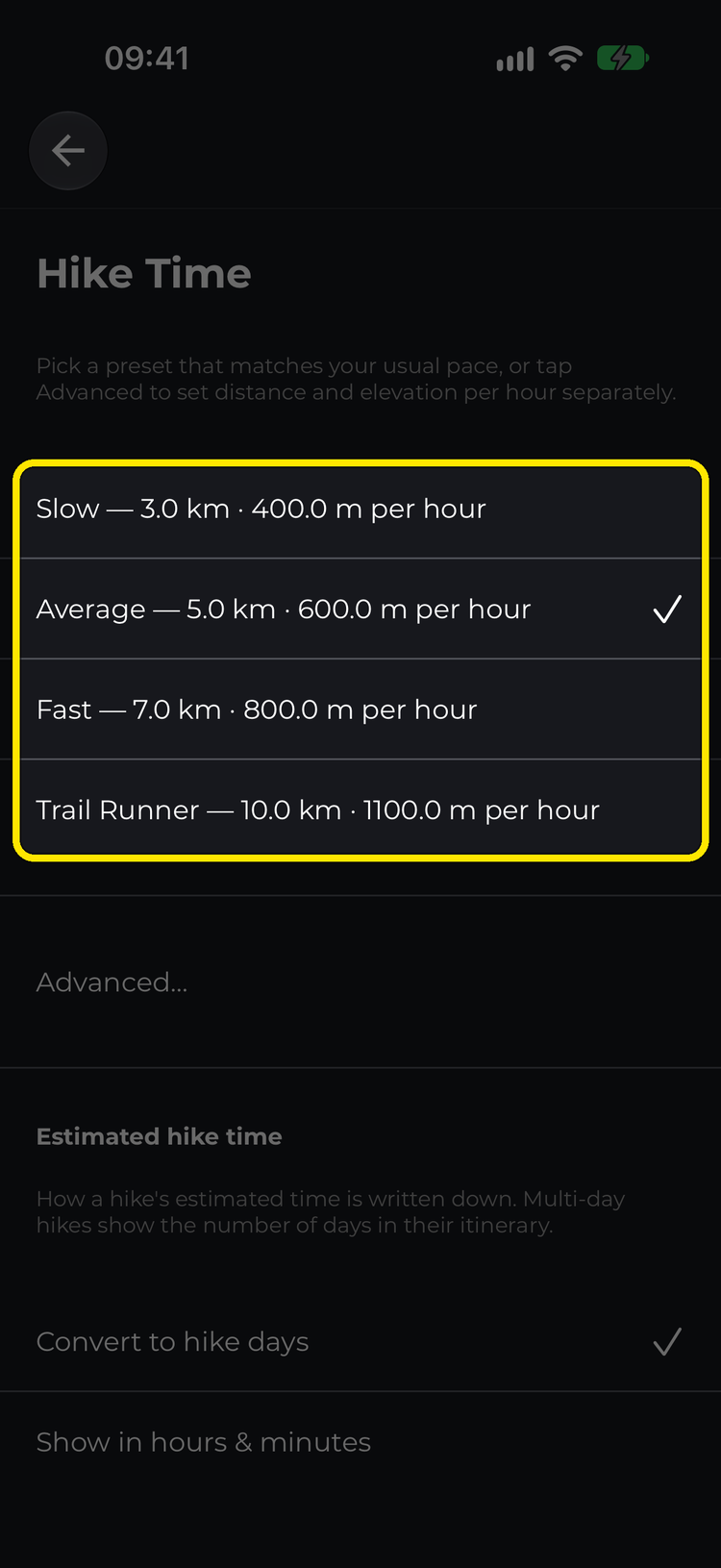
Your pace is saved to your HiiKER account, so it applies on all your devices.
Good to know
- The fastest pace is 10 km/h. Estimates are designed for walking, so there’s no cycling mode.
- Climbs are factored in, but steep descents aren’t yet.
- By default, multi-day hikes are shown in days — the days in their itinerary, or 5-hour hike days. To see hours and minutes instead, set Estimated hike time to Show in hours & minutes — at the bottom of Hike Time Setting on iPhone, as its own row in Customize on Android (where it reads Show in hours / Minutes), or in My Account Settings on the website.
More detail: Hike time settings: what they mean and how to change them.