

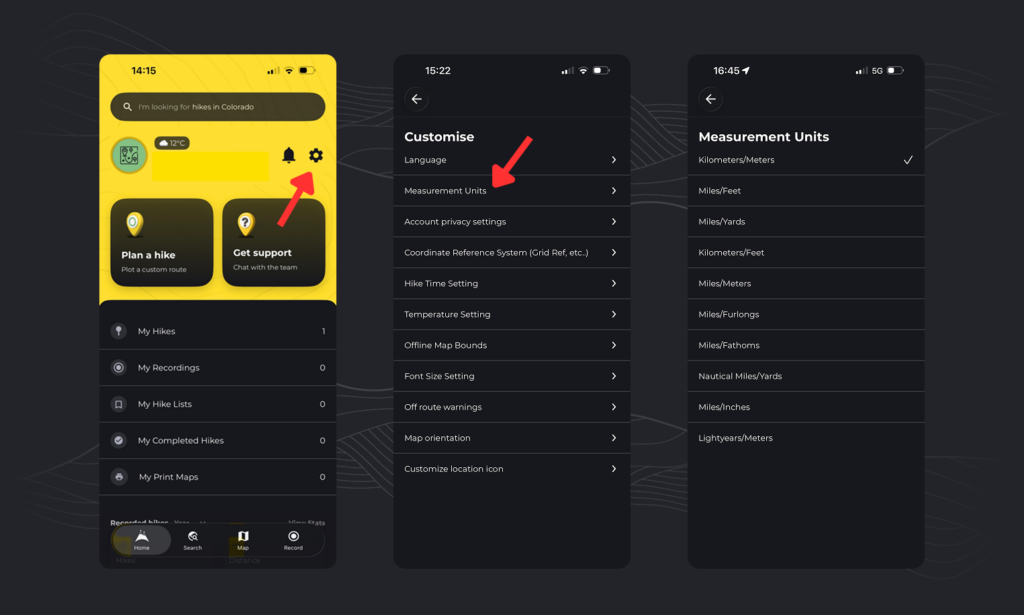
To change your measurement units on HiiKER:
- Go to the Home page
- Tap the Settings icon
- Select “App Settings”
- Tap “Customise”
- Select “Measurement Units”
From here you can adjust the units the app uses to display measurements and distance.
To change your measurement units on HiiKER:
From here you can adjust the units the app uses to display measurements and distance.
