

💻 Looking to do this on the HiiKER website? See Finding a hike on the HiiKER website.
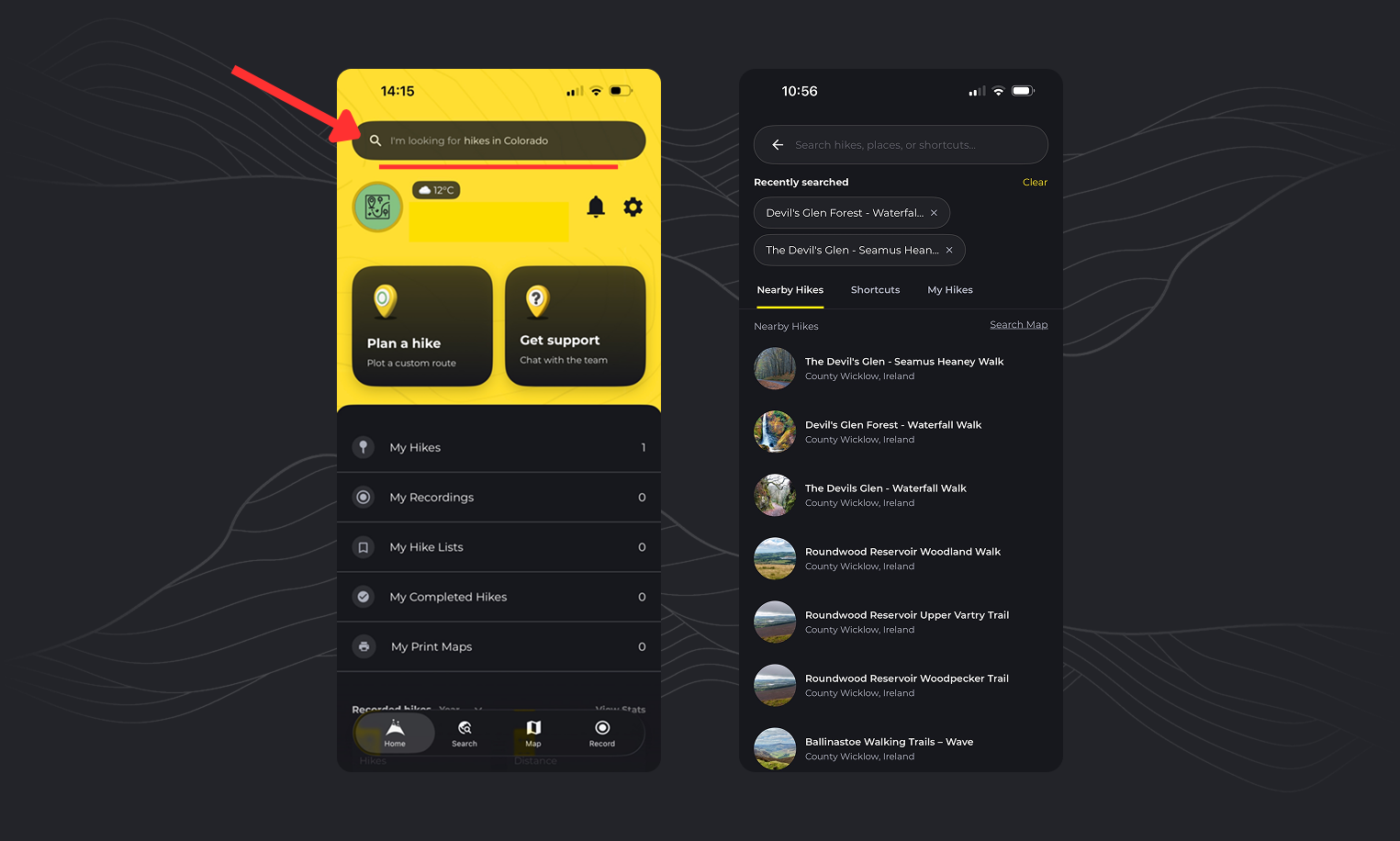
Home page search — searches everything
Tap the search bar at the top of the Home page and start typing. It isn’t only for hike names — results are grouped into tabs so you can narrow down to what you’re after:
- Hikes — HiiKER hikes, community hikes, community recordings, nearby and popular hikes
- Places and coordinates — towns, mountains, landmarks, or a set of coordinates
- POIs — points of interest by name
- Your own content — your hikes, recordings, hike lists, print maps and waypoints
- Shortcuts — jump straight to app features and settings, like Create a hike, Record, Print map, Offline maps or Measurement tool
💡 Searching for a place, not a hike? Type the place name here. Tapping a place, coordinate or POI result closes search and takes the map straight to it — you don’t need a different tool.

The Search tab — browsing hikes on the map
Use this when you want to see what’s in an area rather than search by name.
- Tap the Search tab to open the search map.
- Move the map to where you want to hike — icons show the hikes there, and the bottom sheet lists them. Swipe up to see the full list.
- Narrow it down with the filters under the search bar: type, distance, difficulty, rating and more.
For example, to find easy loops in the Lake District: move the map there, set Type to Loop and Difficulty to Easy, then swipe up on the bottom sheet to browse the results.
You can also switch the map between HiiKER hikes and community hikes — see How to view hikes from other users.
Grid references and coordinate systems
For a grid reference — or to choose which coordinate system you’re entering — use Go to location instead: on any map page, tap Options > Go to location. You can enter latitude and longitude, or a British, Irish or New Zealand grid reference.
Make sure the coordinate-system dropdown at the top matches what you’re typing — for latitude and longitude, select the Lat Long option first. See Search for a map location / Coordinate.
