

There are several ways to cancel your HiiKER subscription. You can manage every subscription from the HiiKER app, whichever way you subscribed, or cancel directly with Apple, Google or on our website.
In this article: In the HiiKER app · On the HiiKER website · Apple App Store · Google Play Store · Good to know
From the HiiKER app
- Go to the Home tab and tap the settings icon (the gear at the top right).
- Tap App Settings > Purchases and Subscriptions (Android: Purchases).
- Tap Manage Subscription.
- Tap Cancel my subscription and follow the steps.
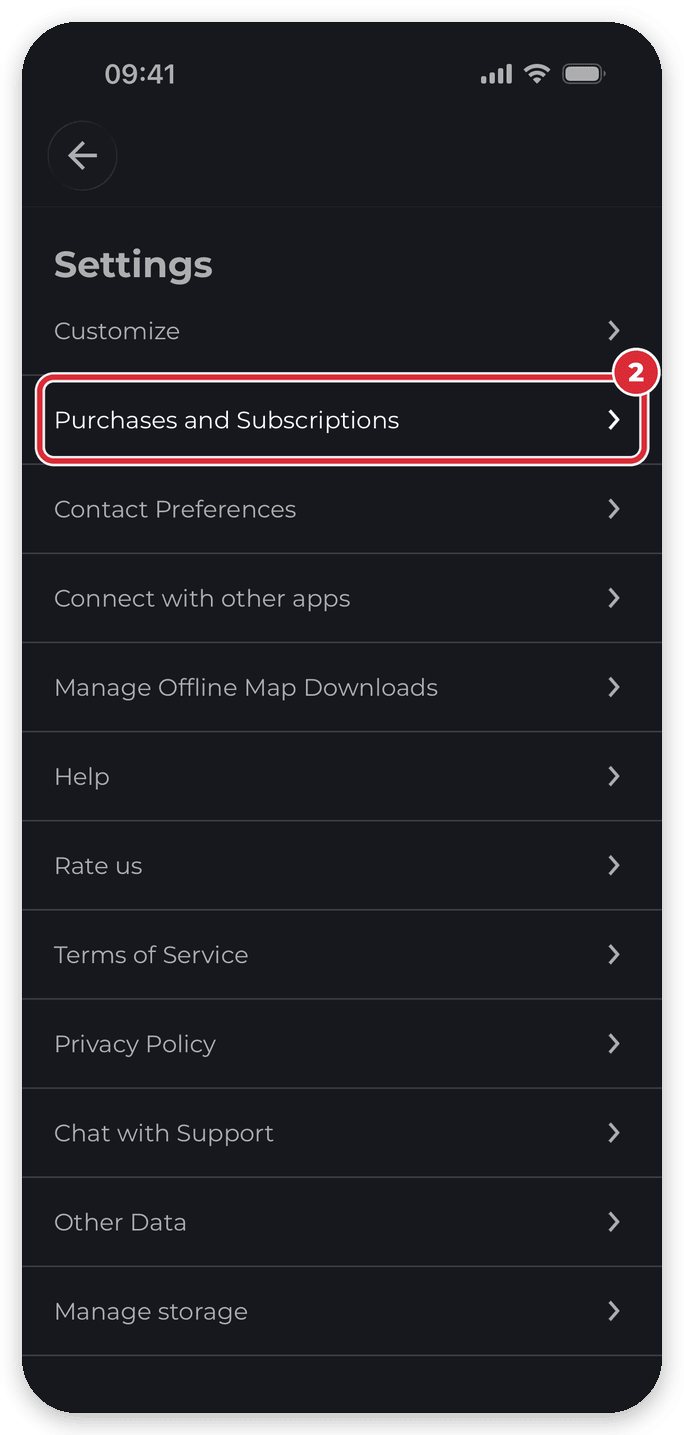

If you subscribed through the App Store or Google Play, the last step opens your Apple or Google subscriptions page so you can finish cancelling there.
Don’t see Manage Subscription? It disappears once a subscription has been cancelled — your PRO+ stays active until the end of the period you’ve paid for, then your account switches to the free plan.
From the HiiKER website
If you subscribed on the HiiKER website, you can also cancel there.
- Go to hiiker.app/user/purchases (My Subscription in your profile sidebar).
- Click Cancel my subscription and follow the steps.
Apple App Store
If you subscribed through the Apple App Store on your iPhone or iPad:
- Open Settings on your iPhone or iPad.
- Tap your name at the top.
- Tap Subscriptions.
- Select the subscription you want to cancel.
- Tap Cancel Subscription and confirm.
You’ll generally keep access until the end of your current billing period.
Google Play Store
If you subscribed through the Google Play Store on your Android phone or tablet:
- Open the Google Play Store.
- Tap your profile picture at the top right.
- Tap Payments & subscriptions > Subscriptions.
- Select the subscription you want to cancel.
- Tap Cancel subscription and follow the instructions.
Good to know
- Uninstalling the app does not cancel your subscription, and neither does deleting your HiiKER account. Cancel it using one of the options above.
- To see your plan and renewal date, go to App Settings > Purchases and Subscriptions (Android: Purchases).
- Thinking about a refund? See Requesting a refund on your HiiKER subscription.
If you have trouble cancelling your subscription, tap Get support on the Home tab to chat with us, or email [email protected].
Related: Where do I find details on my HiiKER subscription? · Requesting a refund on your HiiKER subscription · Delete your account
