

Deleting your HiiKER account permanently removes it and everything saved to it. You can do it in the app or on the website. Please be sure before you continue — you won’t be able to access your account afterwards.
Deleting your account does not cancel a subscription. If you pay for PRO+ through the App Store, Google Play or our website, cancel it first — see How do I cancel my HiiKER subscription?
Delete your account in the app
- Go to the Home tab and tap the settings icon (the gear at the top right).
- Tap App Settings.
- Scroll to the bottom of the page and tap Delete Account.
- Tap Delete to confirm.
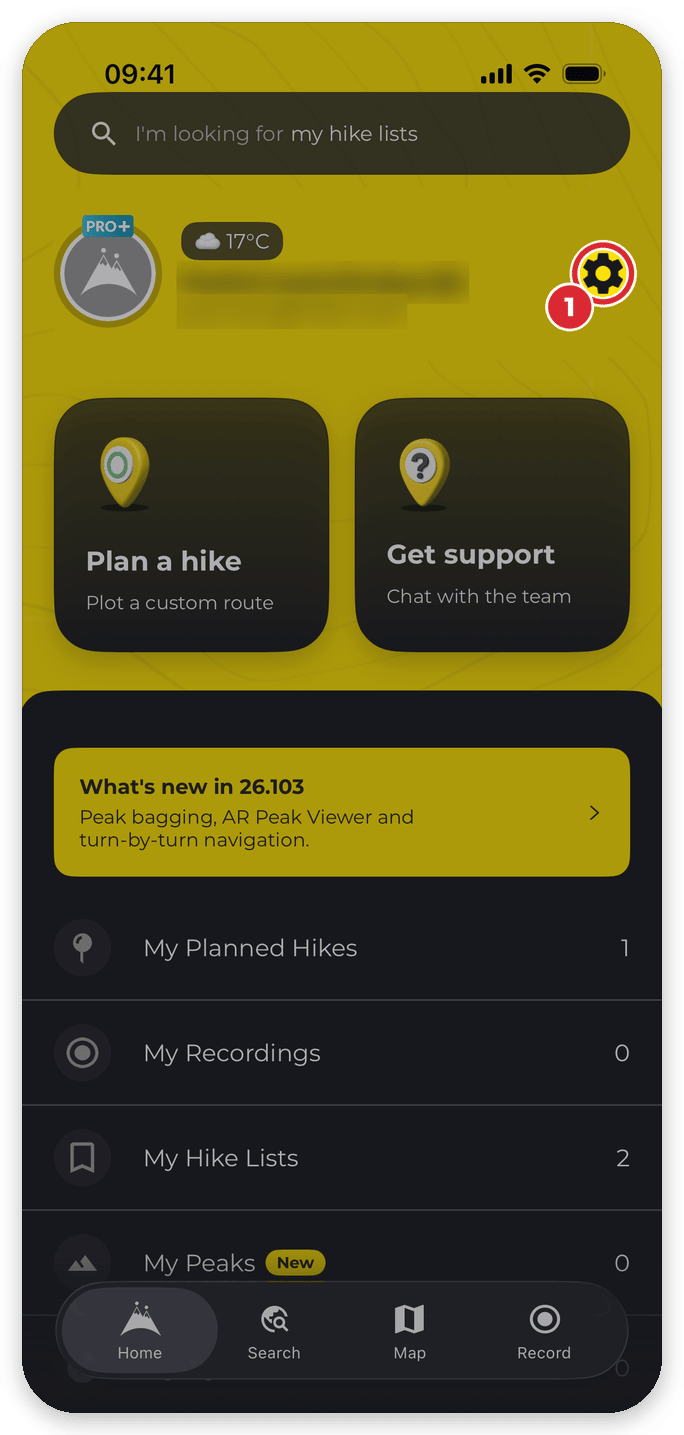


The steps are the same on iPhone and Android. If you have an active subscription, the app reminds you that deleting your account won’t cancel it and asks you to confirm again. Once your account is deleted you’re logged out.
Delete your account on the website
- Go to hiiker.app/user/settings (My Account Settings in your profile sidebar).
- Scroll to the Danger zone section at the bottom and click Delete your account.
- Read what will be deleted, then click Delete My Account and confirm.

Good to know
- Deleting can’t be undone. Your recordings, planned hikes, hike lists, reviews and review photos, and likes are removed with your account.
- Just want a break? Log out instead: tap the settings icon on the Home tab, then Logout. Logging out removes your offline downloads from the phone.
- Want to stop other hikers seeing your profile without deleting it? Make your account private — see Edit your profile information on HiiKER.
Related: How do I delete my account? · How do I cancel my HiiKER subscription? · Edit your profile information on HiiKER
