

When you’re recording while following a hike, HiiKER shows a full-screen celebration the moment you reach a summit on that hike’s route, with your progress on the list it belongs to. A Peak bagged notification lets you know even with your phone in your pocket.
Turn it off
Tap Don’t show again, underneath the Back to map button on the celebration itself.
That turns celebrations off for every walk from then on, not just this one. A message confirms it: Peak celebrations turned off. Turn them back on in Settings › Customize.
Turn it back on
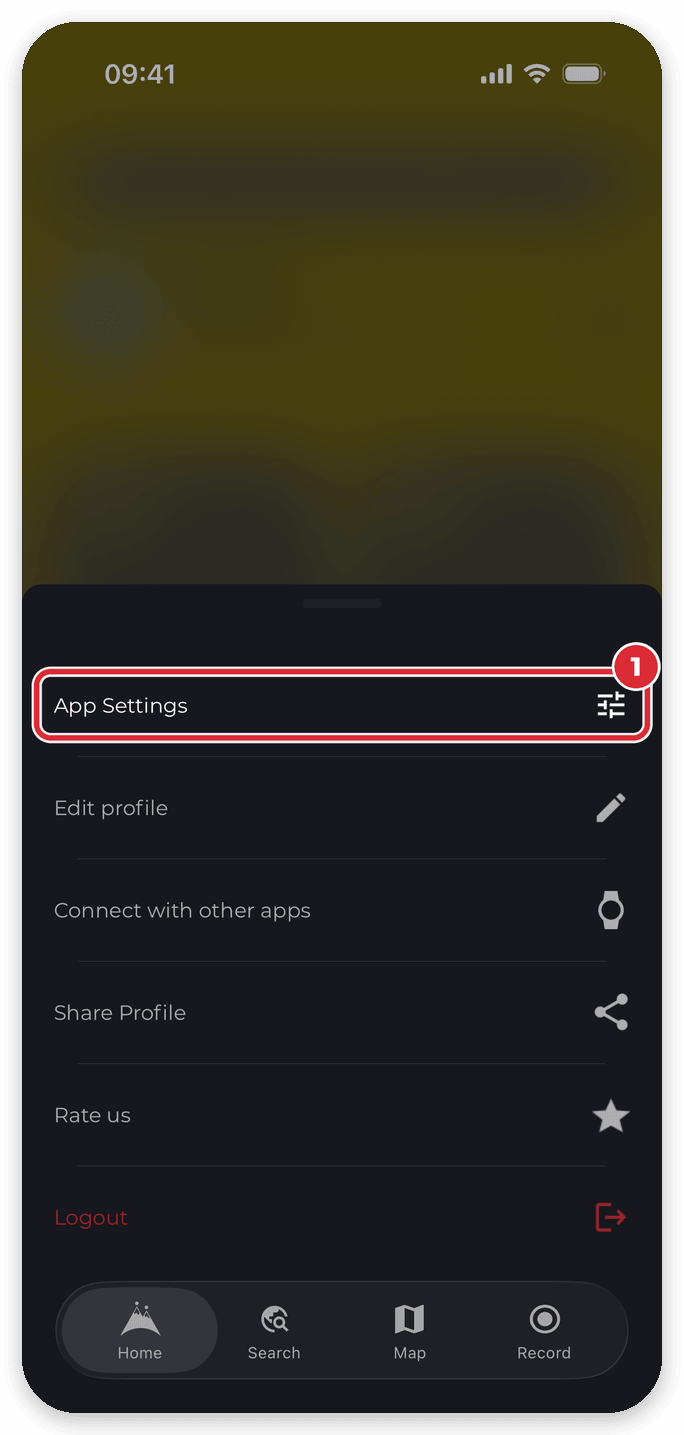
- On the Home screen, tap the settings icon, then App Settings.
- Tap Customize.
- Tap Peak celebrations.
- Switch Show peak celebrations back on.


Your peaks still count
Peaks are bagged either way. Turning this off only hides the celebration and its notification — your summits still appear in the recording’s Peaks Bagged section and on My Peaks.
Good to know
- Celebrations only appear when you’re recording while following a hike, and only for peaks on that hike’s route that you haven’t bagged before. Other summits are bagged when you save the recording.
- The setting is per device. Turning it off on your phone won’t turn it off on a tablet signed in to the same account.
- Turning it back on mid-walk takes effect from the next summit you reach on that walk.
