

Reviews and comments let you share your experience of a hike, rate it, and read what other hikers say before you go.
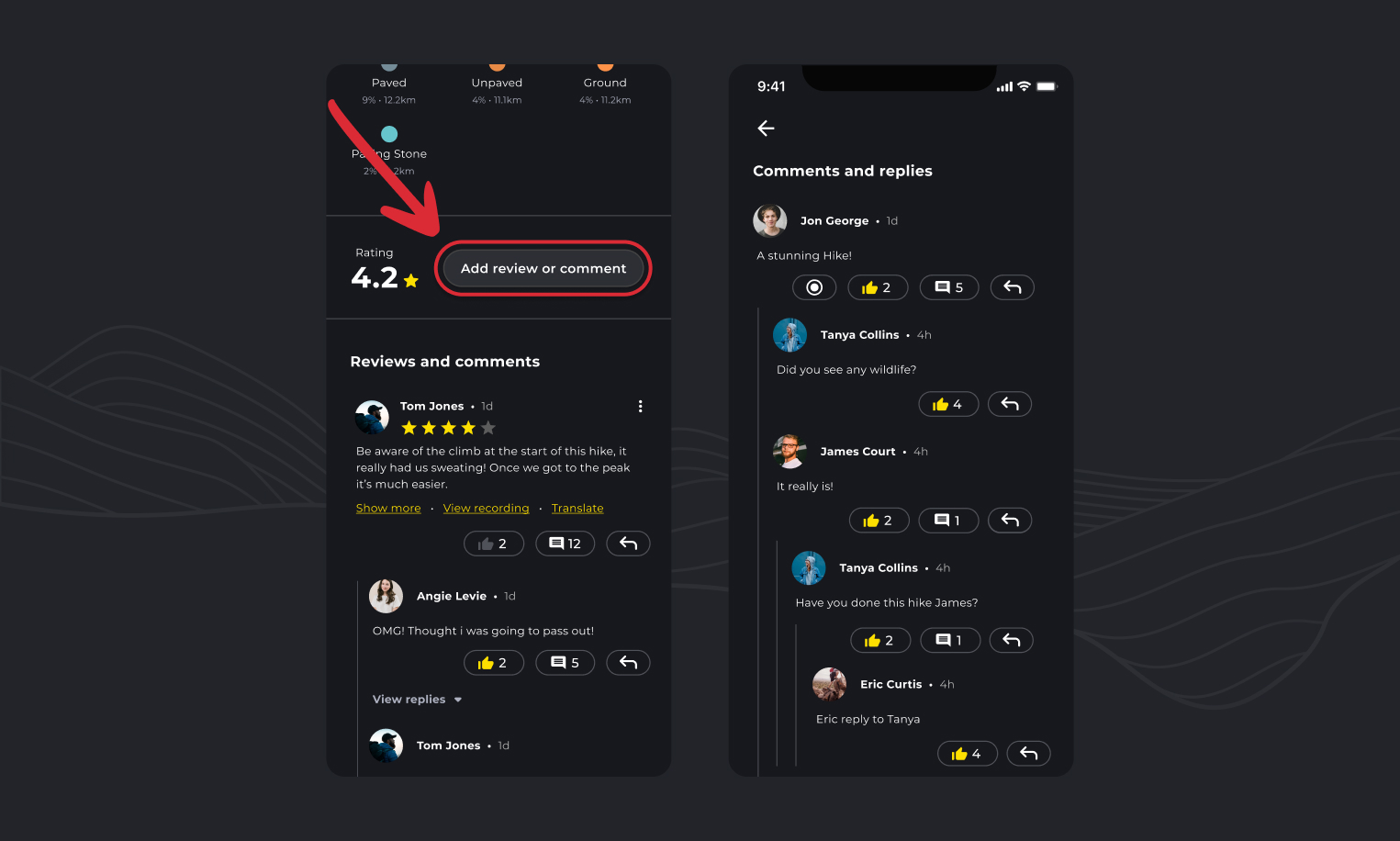
View ratings and reviews
- Open a hike.
- Scroll down to Reviews and comments, near the bottom of the page. The hike’s average rating is shown just above.
- Use the sort option at the top of the section to see the newest or oldest comments first.
Leave a review
- Open the hike and scroll down to the reviews.
- Tap Add review or comment.
- Give the hike a star rating, write your comment and add photos if you like.
- Tap Save.
Reply to a comment
- Find the comment you want to reply to.
- Tap the reply arrow under it.
- Write your reply and tap Save.
Edit or delete your comment
- Find your comment and tap the More (⋮) icon next to it.
- Choose Edit to change it or Delete to remove it. On Android these read Edit comment and Delete comment.
- Save your changes, or confirm the delete.
Related: Writing reviews and uploading photos on the HiiKER website
