

📱 Looking to do this in the HiiKER app? See How to Search on HiiKER.
You don’t need the app to use HiiKER — the full toolkit is available in your web browser at hiiker.app. The website is the best place to explore trails on a big screen, plan multi-day adventures, and manage your account. Here’s a quick tour of how to get around.
In this article: The navigation bar · Search · Your profile hub · Units & language
The navigation bar
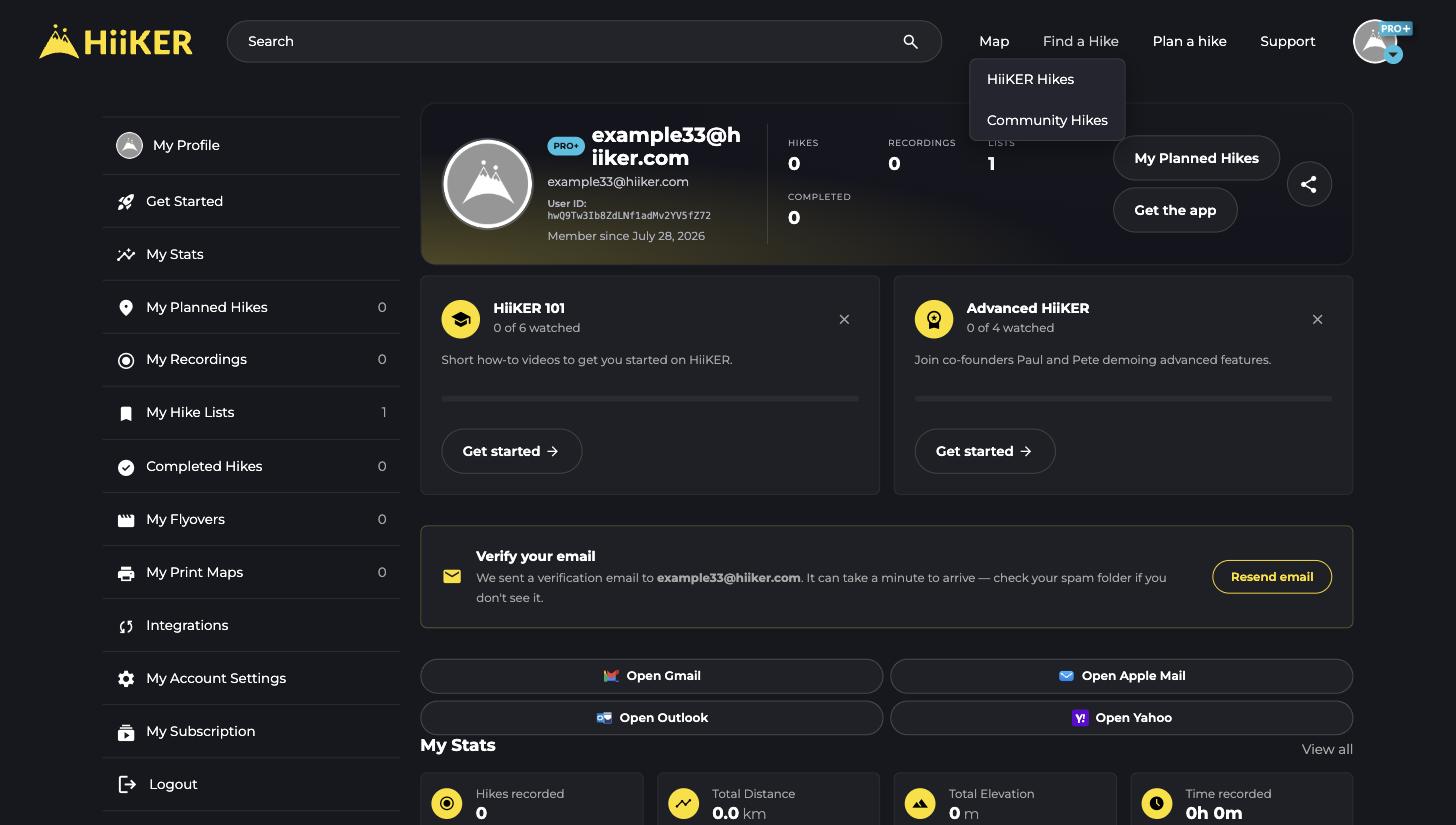
The bar at the top of every page gets you to the main tools:
- Map — open the full-screen interactive map.
- Find a Hike — browse HiiKER Hikes (verified trails) or Community Hikes (routes created by other hikers).
- Plan a hike — open the Hike Planner to plot your own route.
- Support — this knowledge base, plus live chat with the HiiKER team.
- Your avatar (top right) — jump to your profile and account settings.
Search from anywhere
- Click the Search bar at the top of any page.
- Type the name of a hike, place, or point of interest.
- Use the tabs to switch between Popular hikes, Community Hikes, POIs, and Locations.
- Click any result to open it, or hit View map to see the results on the map.

Your profile hub
Click your avatar in the top right to open your profile. The sidebar on the left is home to everything tied to your account:
- My Planned Hikes, My Recordings, My Hike Lists and Completed Hikes — all the routes you’ve planned, recorded, saved, and finished.
- My Stats — your total distance, elevation, and time on the trail.
- My Flyovers and My Print Maps — 3D flyover videos and printable maps you’ve created.
- Integrations — connect Strava, Garmin, and more.
- My Account Settings and My Subscription — profile details, measurement units, notifications, and your PRO+ plan.

Change your units or language
Head to My Account Settings to switch between kilometres and miles, change grid preferences, and manage notifications. You can change the site language from the selector in the page footer.
💡 Top tip: The Hike Planner is built for desktop browsers. If you’re on your phone, the HiiKER app is the best way to plan and navigate on the go.
