

📱 Looking to do this in the HiiKER app? See GPX Files on HiiKER.
Got a route from another app, a friend, or a guidebook website? You can bring GPX (and FIT) files into HiiKER on the web in two ways.
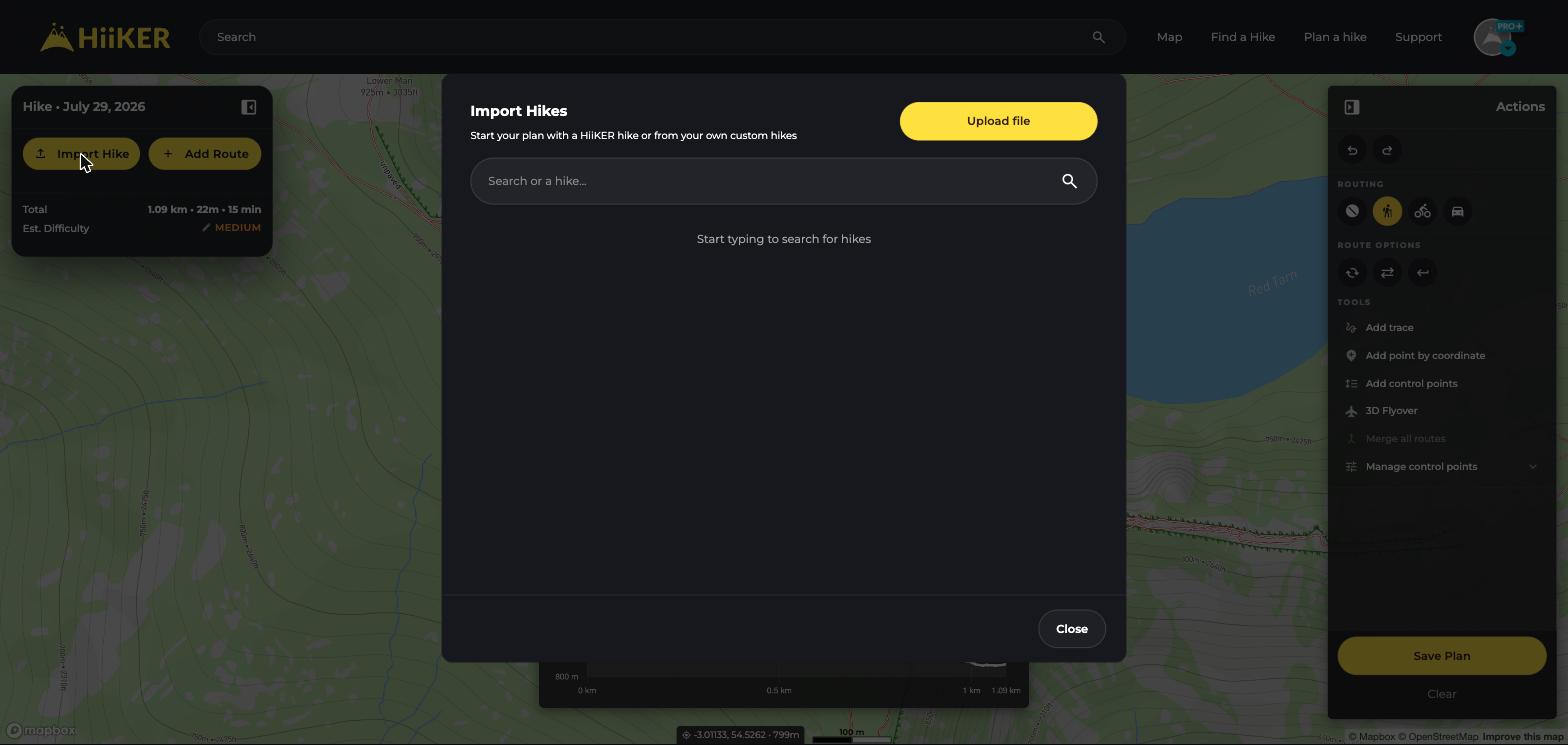
Import into the Hike Planner
Best when you want to edit the route — split it into days, reroute sections, or add highlights.
- In the Hike Planner, click Import Hike.
- Search for any HiiKER hike, one of your own hikes, or a recording — or click Upload file to import a GPX file.
- The route lands on the planner canvas, ready to edit and save.
Import straight to My Hikes
Best when the route is already exactly what you want.
- Go to My Planned Hikes in your profile.
- Click Import, then drag & drop your GPX or FIT files (or click to choose them).
- Each file becomes a hike in your account, ready to open in the app.

💡 Top tip: Moving from Strava, Komoot, AllTrails or OutdoorActive? We have step-by-step guides for each under Syncing with other apps.
