


Peak bagging keeps a record of every summit you reach while recording a hike, and tracks your progress on peak lists like the “Munros”, “Wainwrights”, “Colorado Fourteeners” and “Alpine 4000ers”.
What it does
- Bags a peak automatically when your recorded track passes over its summit.
- Fills in your progress on every peak list that summit belongs to.
- Shows a celebration the moment you reach a summit during a recording.
- Lists the peaks on a hike to know what you are summiting.
- Shows the peaks you bagged on recording overviews.
- Ranks you against other walkers on each list’s leaderboard.
Where to find it
Open My Peaks from the home screen. It shows:
- Peaks Bagged: Your total.
- Lists Started: How many lists you’ve begun.
- Highest Peak Bagged: Your highest summit.
- My peak lists: The lists you’re working on, with your progress.
- Other: Every other list you can start.
How to bag a peak
- Press record before you set off.
- Keep recording over the summit.
- Save the hike when you’re done. (While a recording is active, the summited peak will be “bagged” instantly).
The recording has to be running when you cross the summit. That’s the only way a peak counts.
Finding a route to the summit
On any of the peak POIs on the main map (Maps > POIs > peaks) or on the peak list map, tap on a peak icon, you will find routes that summit the peak.
No routes to the summit? Plot your one route via the hike planner.


Additional options
- Filter and sort lists: In the Other section, filter by country or status (In progress, No bagged peaks, Completed). Sort by Featured, Alphabetical or Progress. Tap Clear filters to reset.
- Star a list: Star a list to move it into My peak lists (Good for highlight peak lists you want to monitor)
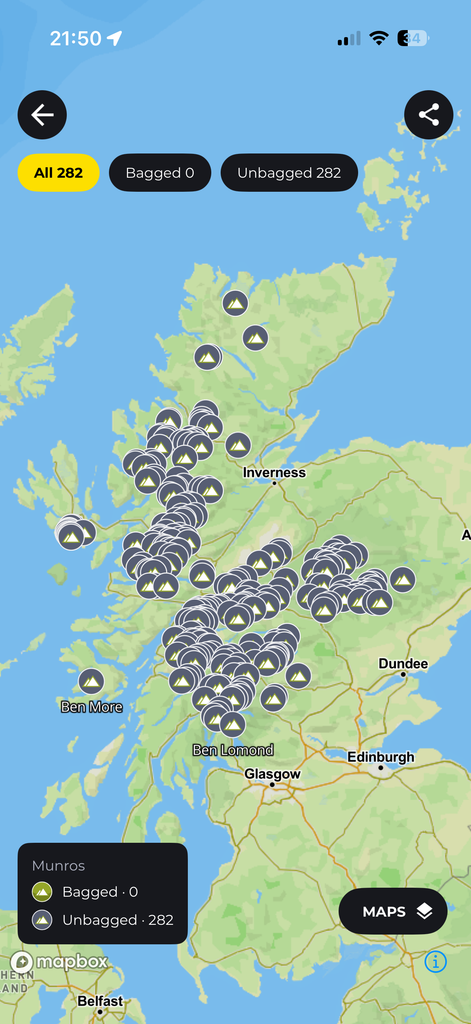
- List overview: Tap a list to see its peaks, its highest summit, a map of every peak and suggested hikes.
- Leaderboards: Open a list’s leaderboard to see where you stand. Tap any walker to view their profile.
- Peak details: Tap any peak to see its height, which lists it belongs to, whether you’ve bagged it and hikes that reach the summit. You can also plan a custom route to it from the Hikes tab.
- Turn off celebrations: Go to Settings › Customize and switch off Show peak celebrations. Your peaks are still bagged. Only the full-screen celebration is hidden.
