

Starring a list adds it to My peak lists on My Peaks, so you can follow your progress on it.
Start a list
- Open HiiKER and tap My Peaks on the home screen.
- Scroll down to Other, below your own lists.
- Tap the star on a list’s card. Or tap the list to open it, then tap the star at the top.
The list then appears under My peak lists at the top of My Peaks, with your progress on it.
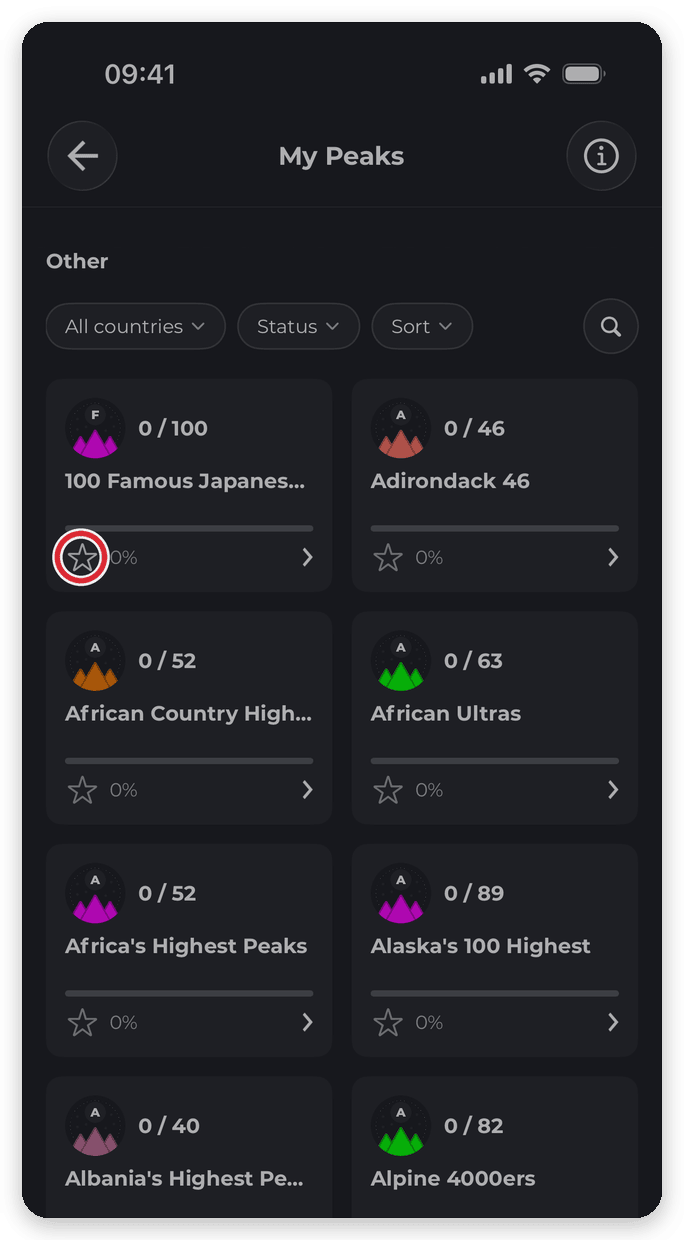

Find a list
Four controls sit above the list catalogue in Other:
- All countries — limit the catalogue to one country.
- Status — show only lists that are In progress, have No bagged peaks or are Completed. Any status shows them all.
- Sort — Featured, Alphabetical, Progress (Number bagged) or List size.
- The magnifying glass — search the catalogue by name or area.
Tap Clear filters to reset them. You can also find a list from the app’s Search: type its name and open the Peak Lists tab.
Leaving a list
Open the list and tap the star again. Your bagged peaks are kept — if you add the list again later, your progress is still there.
Do I have to join a list?
No. Peaks are bagged whether or not you’ve starred the list they belong to, and as soon as you bag a peak on a list, it appears under My peak lists on its own. Starring is for lists you want to keep an eye on before you’ve bagged anything.
Unstarring a list takes it off My peak lists, even if you’ve bagged peaks on it. Those peaks stay bagged.
Related: Using the My Peaks screen · Inside a peak list
