

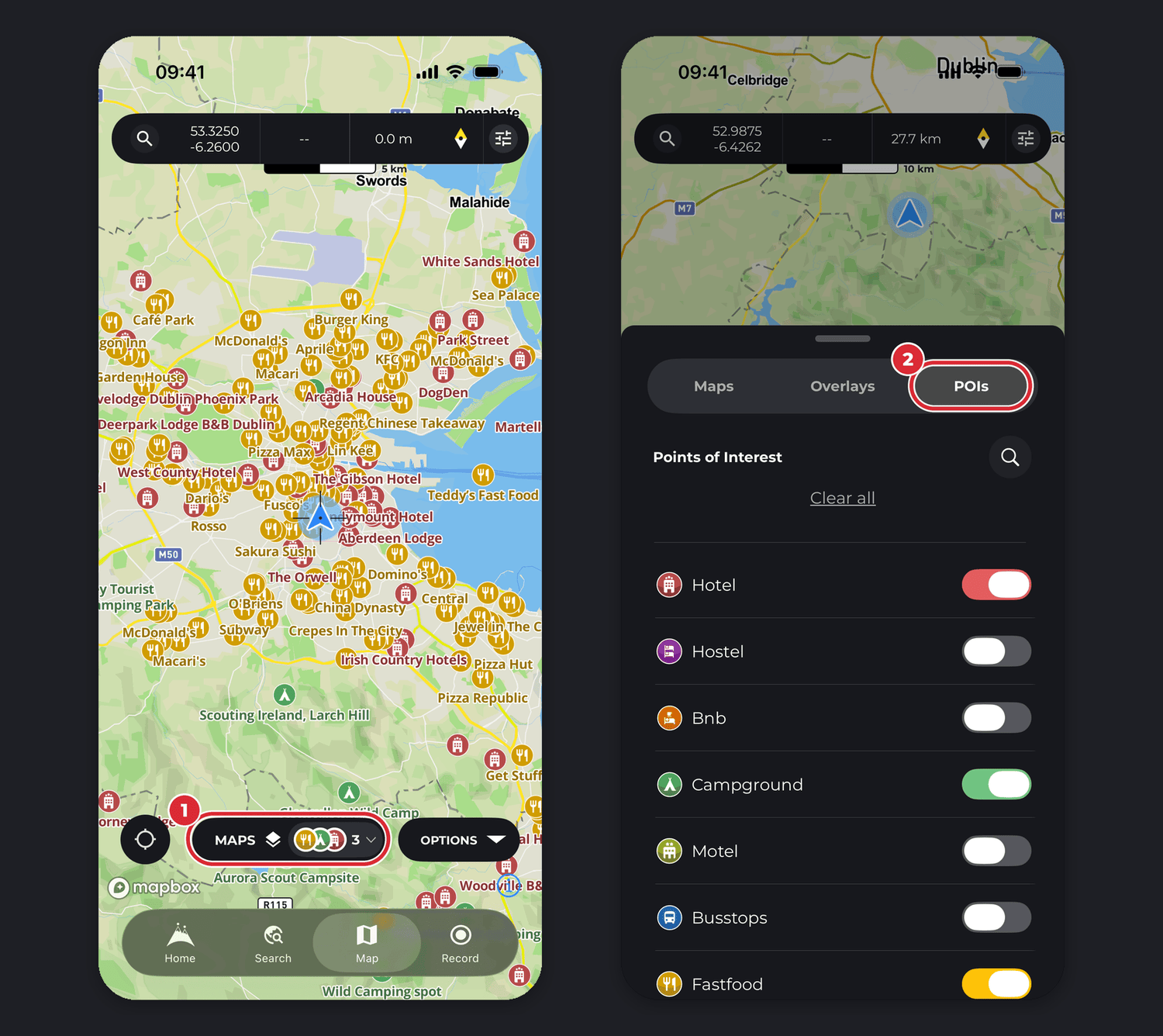
On any HiiKER map you can show points of interest (POIs) for hikers and outdoor adventures: accommodation, campsites, water, peaks, shops, transport stations, historical sites and more.
In this article: Show POIs on the map · Campgrounds · Water · The POI sheet · Save a POI to your waypoints · Street View
How to show POIs on the map
- Tap the Maps button, then the POIs tab (on Android: POI’s) for the full list of categories.
- Turn on the categories you want to see on the map. Tap the search icon to find a category, or Clear all to turn them all off again.
Good to know: once any POIs are on, the Maps button shows them in an On this map section. Tap it to see what’s switched on and clear POIs, overlays or your hikes in two taps.
How to see campgrounds on HiiKER

- Tap the Maps button.
- Open the POIs tab.
- Search the list for “Campground”.
- Turn on Campground to show campsites on the map.
How to see water stops on HiiKER

- Tap the Maps button.
- Open the POIs tab.
- Search the list for “Water”.
- Turn on Water to show water refill points on the map.
The POI sheet
Tap a POI icon on the map to open its sheet. It shows the distance from you and the elevation, photos, contact details such as the address, phone number and website, and reviews where available. The buttons along the top are:
- Save — add the POI to your waypoints.
- Plan to — opens the Hike Planner with the POI as your destination. Long tap the map to set where you’re starting from and the planner draws the route.
- Bearing — points the mini compass at the POI. See How do I use the HiiKER mini compass?
- More — Share, Export GPX, Print Map of Area and Driving Directions.
How can I save a POI to my Waypoints?
- Show the POI category on the map (see above).
- Tap the POI to open its sheet.
- Tap Save.
It’s an easy way to build up your own waypoints for a hike. See Waypoints on HiiKER.
How can I view POIs in Street View?
Open the POI’s sheet and look at the row of photos. If Google has Street View imagery near the POI, a Street View tile appears there: tap it to look around. If there’s no imagery nearby, the tile isn’t shown. Street View needs PRO+.
Related: Waypoints on HiiKER · How to change maps on HiiKER
