

HiiKER PRO+ makes a brilliant present for the hiker in your life. Buy a gift voucher at hiiker.app/gift, print it or pass it on, and they redeem it when they’re ready to start.
In this article: Buying a gift · The voucher · How they redeem it · Good to know
Buying a gift
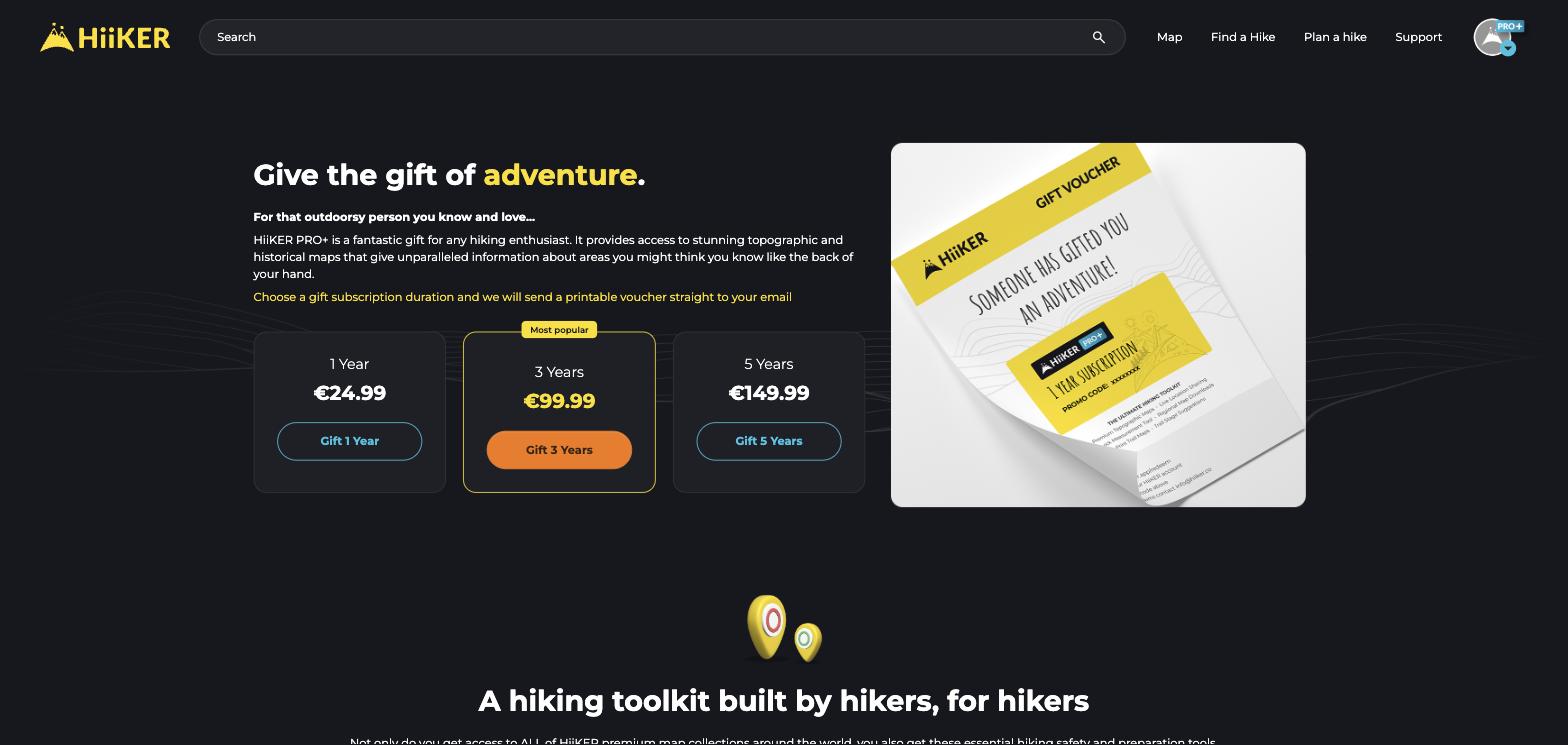
- Go to hiiker.app/gift.
- Choose a duration — 1 Year, 3 Years or 5 Years of PRO+ — and click its button (Gift 1 Year, Gift 3 Years or Gift 5 Years).
- If you’re not signed in, you’ll be asked to sign in or create a free HiiKER account first. You then go straight on to checkout.
- Pay through our secure Stripe checkout — by card or any of the other payment methods offered there.
The voucher
Straight after checkout you’ll see the voucher code, with Copy to clipboard and Download Voucher PDF — a printable voucher, perfect for popping in a card.
We also email it to you (Your HiiKER Gift Voucher is Ready!) with the PDF attached, the code, and a redemption link you can pass on. Keep the code safe — anyone who has it can redeem it.
How they redeem it
- Go to hiiker.app/redeem and click CLICK TO LOGIN/SIGNUP to sign in or create a free HiiKER account.
- Enter the 8-character code from the voucher and click REDEEM.
- PRO+ switches on straight away. Their PRO+ time starts the day they redeem — not the day you bought it.
Good to know
- Vouchers need to be redeemed within a year of purchase.
- A voucher can’t be redeemed on an account that already has PRO or PRO+. If that’s the case, get in touch with support.
- Paying with a bank method that takes a few days to clear? We email the voucher as soon as the payment goes through.
- Any problems with a voucher? Email [email protected].
See also: Upgrading to PRO+
