

📱 Looking to do this in the HiiKER app? See GPX Files on HiiKER.
Any hike on HiiKER — official trails, community hikes, or your own — can be taken with you as a file or sent straight to your phone.
Export as a file
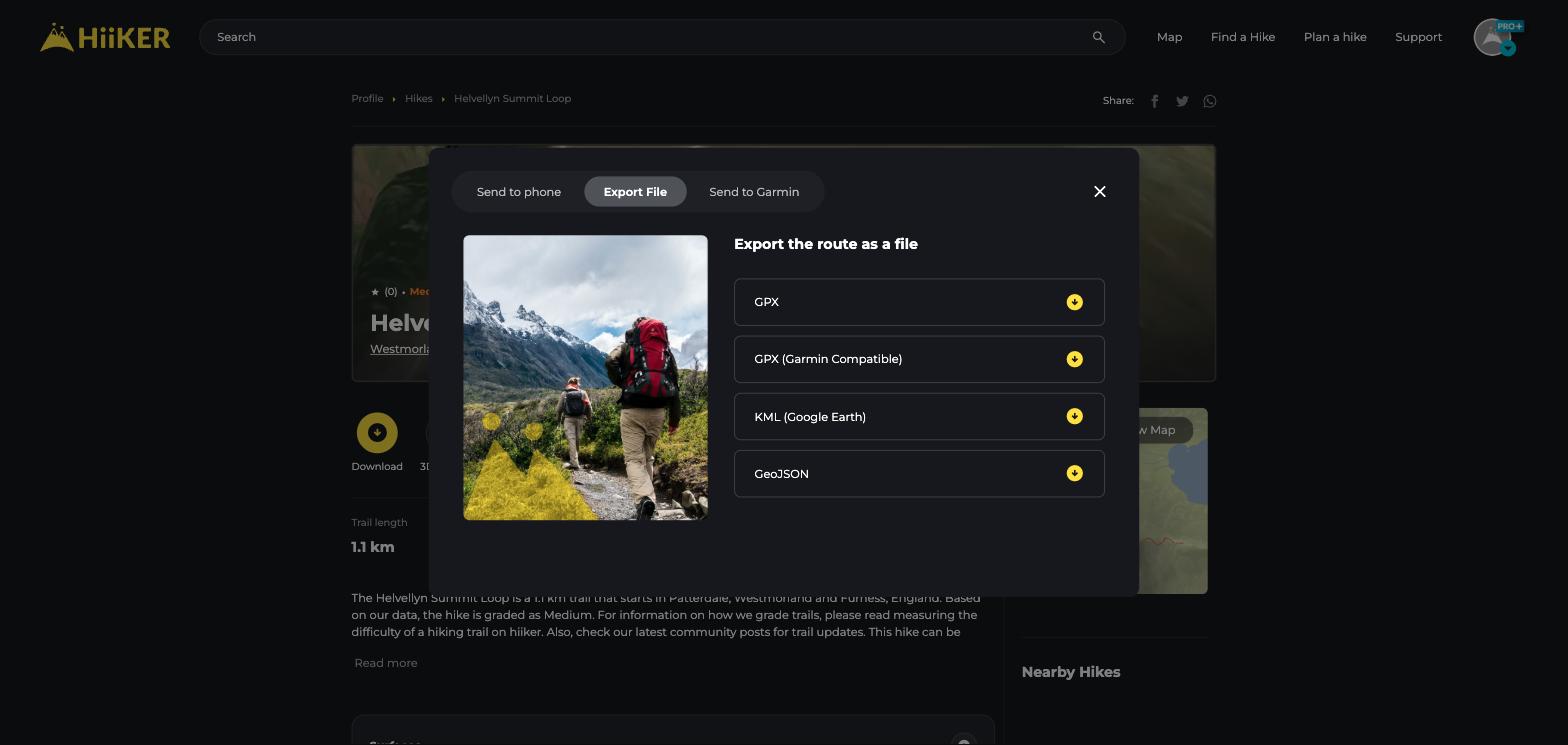
- On any hike page, click the yellow Download button.
- Open the Export File tab.
- Choose your format: GPX, GPX (Garmin Compatible), KML (Google Earth), or GeoJSON.
Exporting one day of a multi-day hike
You don’t have to export the whole thing. On a multi-day hike, open the routes panel on the hike map, find the day or route you want, and use its own Route options menu beside it to export just that section. Each stage, alternative route and spur can be exported on its own.
Send to your phone instead
If you just want the hike in the HiiKER app, use the Send to phone tab — scan the QR code or text yourself a link. No files needed, and the hike opens ready to navigate.
💡 Top tip: Use GPX (Garmin Compatible) for Garmin devices — it merges multi-day hikes into a single track so older devices import the whole route. More on this in our free Garmin GPX fixer.
