

Looking to do this in the HiiKER app? See How do I import files into the HiiKER app?
Got a route from another app, a watch, a guidebook or a friend? Import files on hiiker.app brings route files into your HiiKER account in one go. Add one file or a whole batch, and HiiKER reads each one, works out whether it’s a planned hike, a recording or a set of waypoints, and shows you what it will create before anything is saved. Importing is free: you only need to be signed in.
In this article: Where to find Import files · Import your files · Which files you can import · The review window · How HiiKER decides what a file is · Change what a file becomes · After you import · Files that can’t be read · Good to know
Where to find Import files
Every Import files button opens the same window. Where you start only sets the default list:
- Planned hikes: go to My Planned Hikes (hiiker.app/user/hikes) and click Import files.
- Recordings: go to My Recordings (hiiker.app/user/recordings) and click Import files. It’s also on My Peaks, so you can bring in old walks and bag their summits.
- Waypoints: on any map, click Options > Waypoints > Import files.
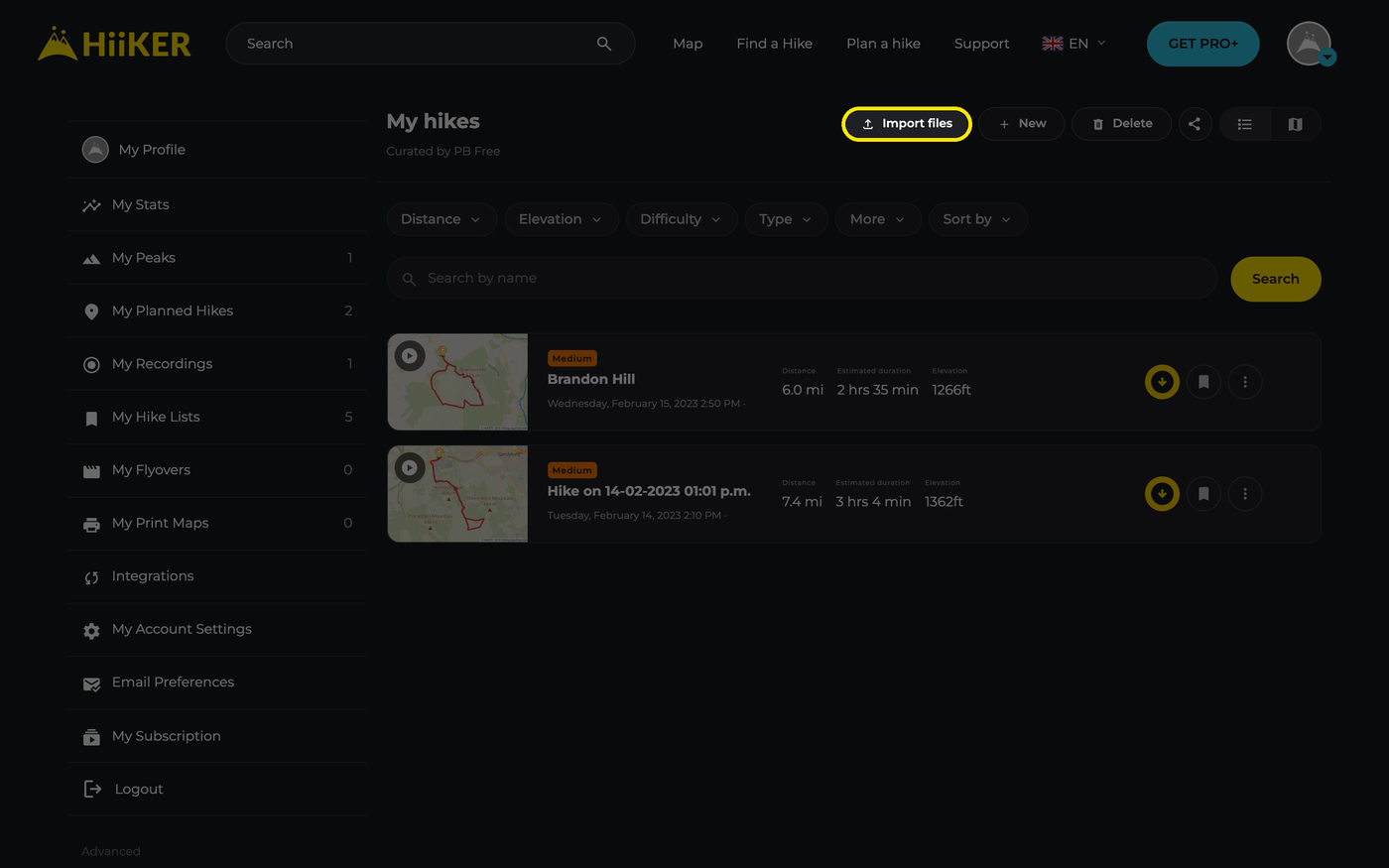

Started from a list and added a file that belongs somewhere else? It still goes where it fits, and its row is tagged with where it’s going, for example → Recordings.
Import your files
- Click Import files, then drag your files into the window or click Choose files.
- Add one file, several, or a ZIP. HiiKER reads each one (its row says Reading… while it does).
- Check what each file will become. Click a file to change it, or click × to leave it out. Need more? Click + Add files at the top right, or drop more files onto the window.
- Click the yellow button at the bottom. It says exactly what will be created, for example Import 1 recording, 1 planned hike and 1 waypoint group.

Which files you can import
- GPX, KML, KMZ, GeoJSON, FIT and TCX files, and ZIP files of them. That covers exports from watches, Strava, Komoot, AllTrails, Outdooractive, Google Earth and most other hiking apps.
- HiiKER reads what’s inside a file, not its name, so a file with the wrong ending or no ending still works.
- ZIP files: every route file inside becomes its own row. Other files in the ZIP are skipped. A ZIP can unpack to up to 256 MB in all; split a bigger one into smaller ZIPs.
- There’s no limit on how many files you add at once.
The review window
Once your files are read, the window shows everything before it’s saved:
- Summary tiles (when there’s more than one file): one per type, such as 1 recording · 1 planned hike · 1 waypoint group. The numbers update as you make changes.
- A row per file, with a yellow tag for what it will become (Recording, Planned hike or Waypoints), the file name and one line of detail: distance and time for a recording, days, distance and highlights for a planned hike, or the number of waypoints.
- A map preview of every file. Open a file and the map zooms to it.
- An orange bar such as 1 can’t be read for any file HiiKER couldn’t import (see below).

Importing just one file? You won’t see the tiles: the file’s settings open straight away.
How HiiKER decides what a file is
- Recording: a track with real times, like a watch or tracking app records. Nearly every point needs a time, the times must run forwards, and they must cover at least a minute.
- Planned hike: any route, or a track without usable times. Times stamped on by a planner (all the same, or perfectly evenly spaced) are spotted and the file is treated as a planned hike.
- Waypoints: a file with only points and no line becomes a waypoint group.
Multi-day files: each track or route in the file becomes one day of the planned hike. Named points in a planned hike are kept as hike highlights; unnamed points that just sit on the line are skipped.
Change what a file becomes
- Click the file’s row to open it.
- Under Import as, choose what you want it to become. Only the options that fit the file are listed: Planned hike, Recording (when the file has usable times), Waypoints (when it has named points), Planned hike from waypoints (joins a file of points in order) or Don’t import.
- Adjust any other settings shown, then click the row again to close it.

Depending on the file, you may also see:
- Days (a planned hike with several stages): keep One day per stage in the file, or choose One day to join the stages end to end.
- Lines (a recording that also contains the course you followed): tick Include the planned course too to import both.
- Waypoints: untick named points you don’t want. On a planned hike they’re Added as hike highlights.
A yellow Recommended badge marks the best fit. If you pick something that goes to a different list, the option says so, for example Goes to Waypoints, not Planned hikes.
After you import
The window closes and a message confirms what was saved, for example Imported 1 recording and 1 planned hike, with links to view them. Then:
- Planned hikes are in My Planned Hikes. Open one and use More > Edit in Planner to change the route.
- Recordings are in My Recordings, with the file’s own times. Summits on them are checked for peak bagging.
- Waypoint groups are under Options > Waypoints > View Waypoint Groups on any map.
Everything is named after its file and is private: only you can see it until you change its privacy. Your imports appear in the HiiKER app too.
Files that can’t be read
One bad file doesn’t stop the rest. Files HiiKER can’t import collect behind an orange bar, such as 1 can’t be read. Click the bar to show them, then click a file to see What’s wrong, Likely cause and What to do, with a Remove file button.


- This file is damaged: it’s damaged or cut off, usually because a download was interrupted. Export it again and add it with + Add files.
- Nothing to import in this file: there are no routes, tracks or waypoints in it. Export it again, choosing GPX with tracks or routes.
- Not a route file: it isn’t a GPX, KML, KMZ, GeoJSON, FIT or TCX file. Look for “Export GPX” in the app or website you got it from.
Good to know
- It’s free. Import files works on every HiiKER account.
- Want to add a file to a hike you’re planning? That’s done inside the Hike Planner. See Importing routes on the HiiKER website.
- Turning a recording into a hike? Open the recording and choose More > Copy to My Hikes.
Moving from another app? See AllTrails, Strava, Komoot and Outdooractive.
