

Looking to do this in the HiiKER app? See Plan a hike in the app.
Once you’ve plotted a route in the web Hike Planner, save it to your account to navigate it in the app, share it with friends, or come back and refine it later.
In this article: Saving your plan · Finding your saved hikes · Sharing a hike · Sharing without making it public · Good to know
Saving your plan
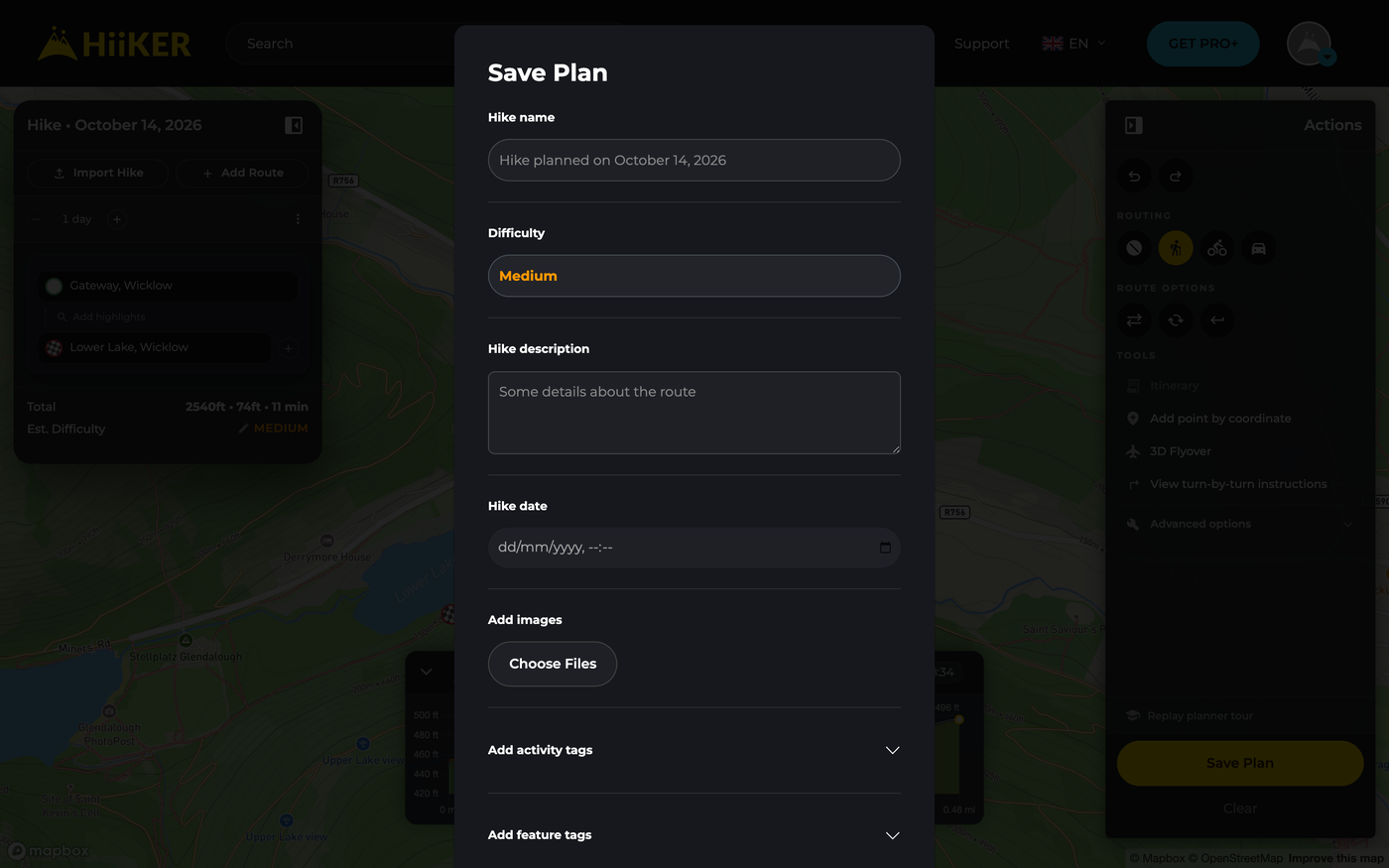
- Click the yellow Save Plan button in the planner.
- Give your hike a Hike name, check the suggested Difficulty, and optionally add a Hike description, Hike date, images, and activity and feature tags.
- Under Who can view, choose Only I can view (private) or Everyone can view (public). You’ll need to confirm your email address before you can make hikes public.
- Click SAVE.

Don’t worry if you pick private and change your mind — you can make a hike public later without going back to the planner. See Sharing a hike below.
Finding your saved hikes
All your plans live under My Planned Hikes in your profile sidebar. Use the filters and search to find one fast, and the ⋮ menu on each hike to view its map, export a GPX, edit it, duplicate it or delete it.
Hikes you’ve marked as completed are hidden here by default. To show them, open the More filter and untick Hide completed.

Sharing a hike
Your hike needs to be public before HiiKER can generate a share link. A private hike has no link — that’s what private means. If you want to send someone a route without publishing it, export the GPX file instead.
- Open your hike, click More (⋮), then Share Hike.
- If the hike is already public, the link appears straight away — copy it and send it to anyone.
- If it’s still private, the window tells you so and offers a Make Public & Share button. One click publishes the hike and hands you the link — no need to go back to the planner and save again.

You can also share straight to social media from the icons at the top of the page, or choose Hike trailer in the More menu to make a short video of the route to share. To let someone copy and edit your route, they can use Edit a Copy on your hike page.
“You must confirm your email before making hikes public”
Making anything public requires a confirmed email address. If yours isn’t confirmed yet, the share window says so and gives you a Resend confirmation email button — click it, confirm from the email, then try sharing again.
If the confirmation email never arrives, check your spam folder first. Some email providers block the link — see How do I log out, or reset my password? for a workaround that applies here too.
Sharing a route without making it public
Export the route as a file and send it directly. Your hike stays private and nothing is listed anywhere. On the hike page, click Download, then Export File, and choose GPX, GPX (Garmin Compatible), KML (Google Earth) or GeoJSON — the recipient can import the file into HiiKER or another app.

What does “public” actually mean?
A public hike can be opened by anyone with the link, and it becomes discoverable among community hikes in that area. It isn’t broadcast, promoted or emailed to anyone. You can set a hike back to private at any time with Edit Details. For the full picture, see Your public profile and privacy on HiiKER.
Recordings work the same way: other people can only open a recording that’s public.
Good to know
- Proud of your route? Choose Submit to be an official hike from the More menu, or switch on Submit this hike to be made official when you save. If the HiiKER team verifies it, it becomes a public official hike with you credited as creator. Only public hikes can be submitted — if yours is private, HiiKER asks whether to make it public first.
Related: Planning a hike on the HiiKER website · Making Hikes Official on HiiKER
