

Looking to do this in the HiiKER app? See How to Sync HiiKER with Garmin Connect.
With your Garmin account connected, you can push a HiiKER hike straight to your watch or GPS as a course — no cables, no files.
In this article: Connect and send · Sending more routes · Good to know
Connect your Garmin account and send your first route
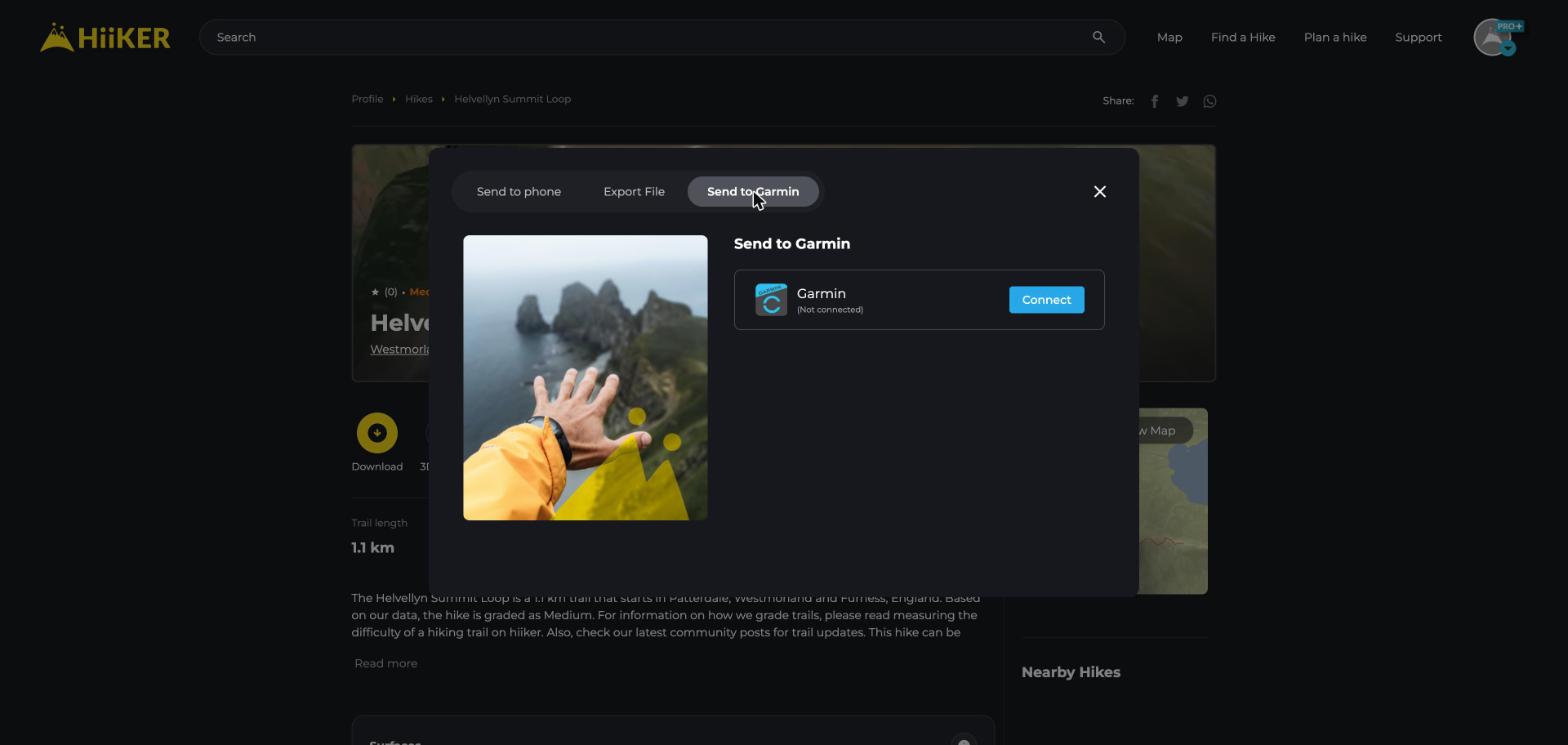
- On a hike page, click Download and open the Send to Garmin tab.
- Next to Garmin (Not connected), click Connect and sign in to Garmin Connect in the window that opens.
- Once you’re connected, HiiKER sends the route straight away and lets you know when it’s done — it appears in Garmin Connect shortly after.
- The course syncs to your watch or GPS the next time it connects to Garmin Connect.
You can also connect or disconnect Garmin any time from Integrations in your profile sidebar.
Sending more routes
Once you’re connected, the tab shows Garmin (Connected). There’s no separate send button — click the Garmin row and the route is on its way.
- Planned and community hike pages also have Send to Garmin in their More menu.
- Recordings work the same way: Download > Send to Garmin.
- To send just one day or one route of a longer hike, open the hike’s map (View map), click ⋮ next to the day or route, and choose Send to Garmin.
Good to know
- You need to be signed in — signed out, the tab says Sign in to sync.
- You can send any public hike, plus your own private ones.
- A whole multi-day hike arrives as one course, with your hike highlights as course points.
- Loading files onto the device yourself? Export with GPX (Garmin Compatible) on the Export File tab, or run the file through our free Garmin GPX fixer.
Next steps: The free Garmin GPX fixer tool · Connecting Strava and Garmin to your HiiKER account
