

📱 Looking to do this in the HiiKER app? See Edit your profile information in the app.
Everything about your account — profile, pace, units, privacy, notifications — lives under My Account Settings in your profile sidebar.
In this article: Profile & email · Hike time & units · Privacy · Deleting your account
Profile and email
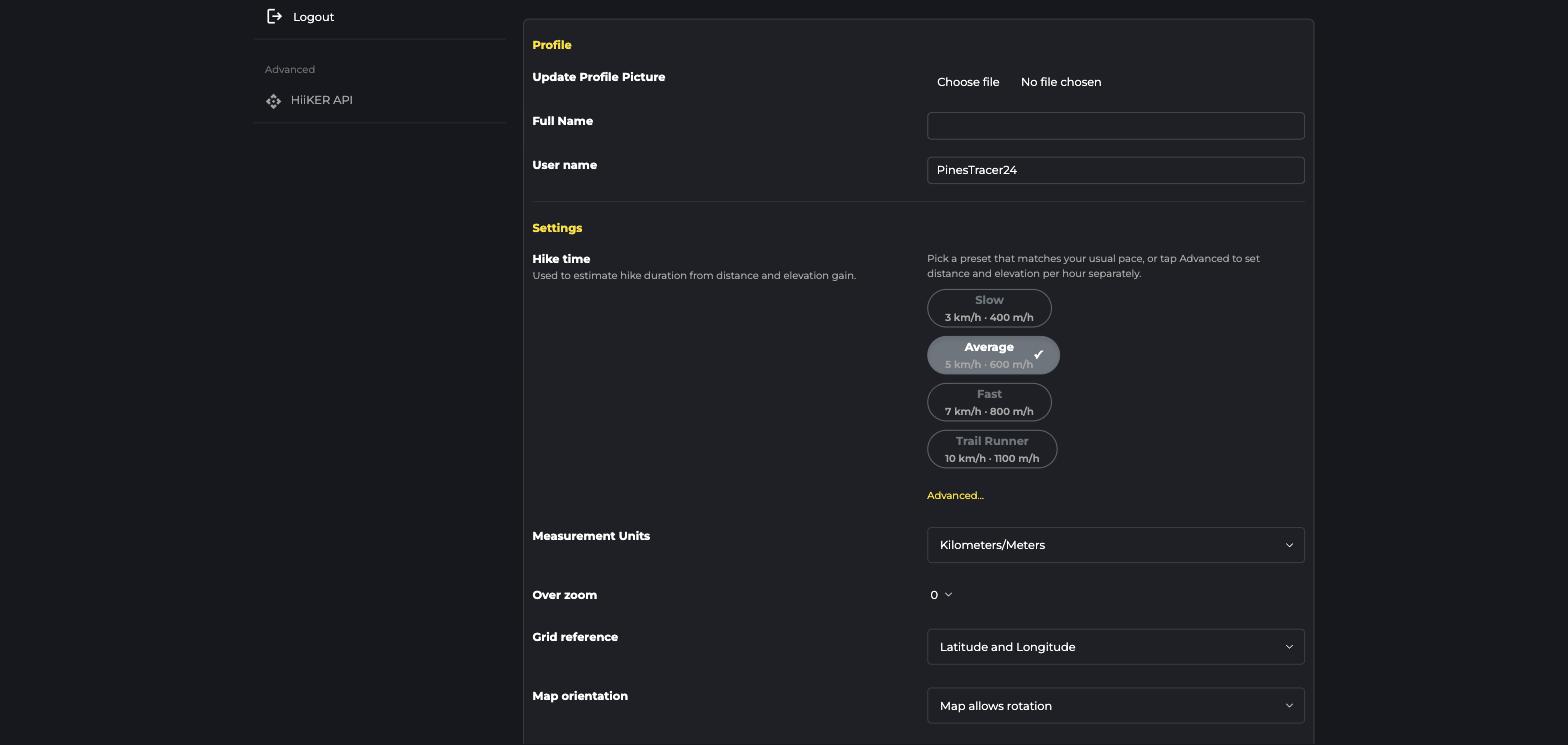
Update your profile picture, full name, and username at the top of the page. Use Change email in the Account section to move your account to a new address (you’ll need to confirm it). Your User ID is also shown here — handy when contacting support.
Hike time and measurement units
The Hike time presets (Slow, Average, Fast, Trail Runner) control how HiiKER estimates durations from distance and climb — or click Advanced to set your own pace. Below that you can switch Measurement Units (km/miles), set Grid reference format (Lat/Long, OS Grid…), map orientation, and over-zoom.
Privacy and notifications
Further down you’ll find your notification preferences (push and email), the private account toggle, the community heatmap opt-in — and a one-click option to make everything you’ve ever shared private.
Deleting your account
At the very bottom of settings you can permanently delete your account and all your content. This can’t be undone — see Delete your account for details.
