

How do I edit my profile on HiiKER?
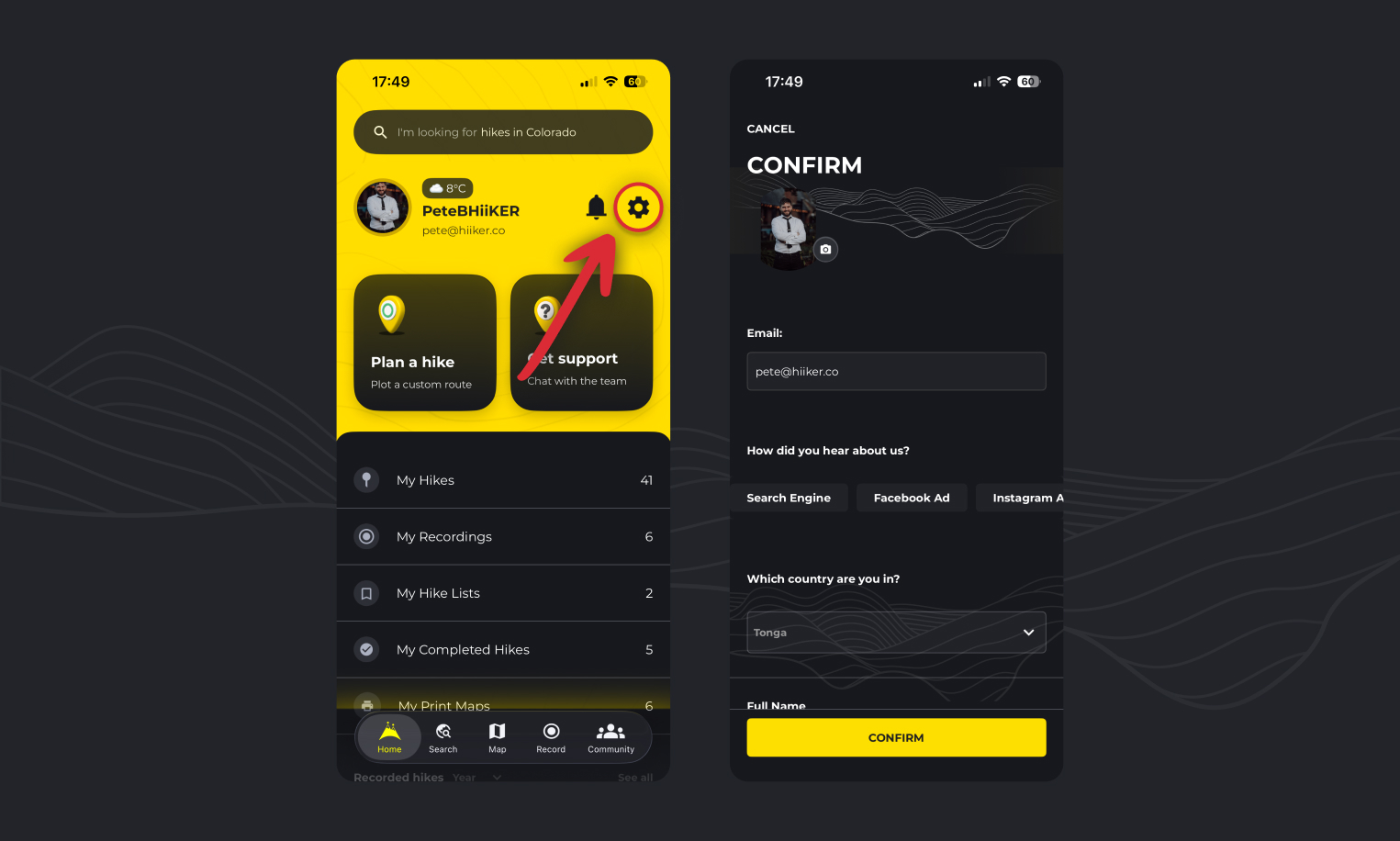
- Go to the Home tab.
- Tap the “settings” icon
- Select the “Edit Profile” option
- From here you can update
- Profile Picture
- Country
- Name
- Display Name
How do I make my profile private on HiiKER?
To make sure no one else can see your HiiKER profile or activities:
- Go to the Home tab.
- Tap the “settings” icon
- Tap “App Settings” > “Customize” > “Account Privacy Settings”
- From here you can toggle the switch to set your account to private, or set all of your previous activities to private.

How do I make my profile public on HiiKER?
If you have set your profile to private and want to change it to public:
- Go to the Home tab.
- Tap the “settings” icon
- Tap “App Settings” > “Customize” > “Account Privacy Settings”
- From here you can toggle off the private switch.
How do I view another users profile on HiiKER?
Currently the only way to view another users profile is for them to share the link directly.
How do I change my email address on HiiKER?
You cannot change your email address directly through the HiiKER app. If you need to change your email address contact info@hiiker.com with the details and we can process the change for you
